 IPTV NORDEN
SERVERS ONLINE
IPTV NORDEN
By Johan Lindqvist • Published September 2026 • 12 min read
The Amazon Fire TV Stick lineup (including Fire TV Stick HD, Fire TV Stick 4K, Fire TV Stick 4K Max Gen 2, and the Fire TV Cube) represents the most versatile and cost-effective digital media player ecosystem on the market today. Powered by Amazon’s high-performance Fire OS (an Android-based operating system), Firestick devices feature dedicated hardware video decoders capable of rendering HEVC (H.265), VP9, and AV1 video streams at a silky-smooth 60 frames per second.
Combined with a high-speed fiber or 5G broadband connection in Sweden, the Firestick transforms any television into a powerhouse entertainment hub capable of streaming over 35.000+ live television channels, 142.000+ on-demand movies, and premier live sports broadcasts through iptv norden.
In this exhaustive 2026 installation walkthrough, we guide you through every screen, setting adjustment, developer authorization, and media player setup required to configure your Amazon Firestick for pristine, buffer-free IPTV playback.
While all modern Fire TV devices support IPTV streaming, your hardware model impacts channel zapping speed, Wi-Fi stability, and 4K HDR playback:
| Model | Processor & RAM | Wi-Fi Standard | 4K 60FPS & HDR | Recommended Rating |
|---|---|---|---|---|
| Fire TV Stick HD | Quad-core 1.7 GHz / 1 GB RAM | Wi-Fi 5 (802.11ac) | 1080p Only | Good for Secondary TVs |
| Fire TV Stick 4K | Quad-core 1.7 GHz / 2 GB RAM | Wi-Fi 6 (802.11ax) | 4K Ultra HD, Dolby Vision | Highly Recommended |
| Fire TV Stick 4K Max | Quad-core 2.0 GHz / 2 GB RAM | Wi-Fi 6E (Tri-Band) | 4K Ultra HD, Dolby Vision, HDR10+ | Best for Sports & 4K |
| Fire TV Cube | Octa-core 2.2 GHz / 2 GB RAM | Wi-Fi 6E + Ethernet Port | 4K Ultra HD, Super Resolution | Ultimate Flagship |
Because advanced IPTV media players (such as HOT Player, TiviMate, and IPTV Smarters Pro) are specialized media engines, Amazon requires you to authorize installation from third-party sources. Follow these exact steps:
The Downloader application by AFTVnews is the most trusted, secure tool used by millions of streaming enthusiasts worldwide to transfer APK installation files onto Amazon Fire OS.
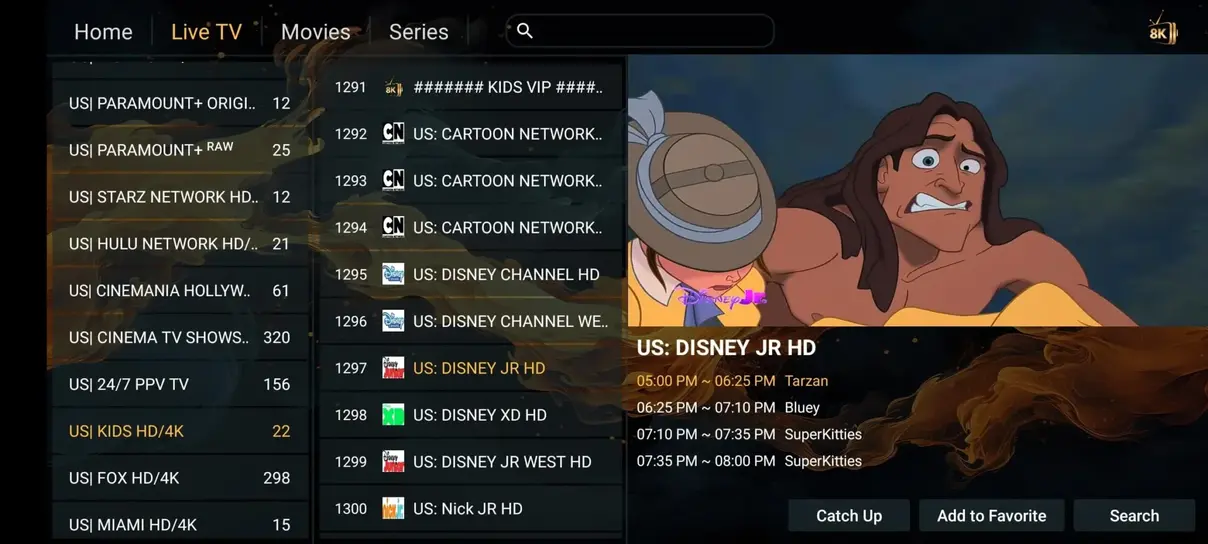
Once inside Downloader, use the URL address field to enter the direct numeric shortcode or download URL for your application of choice:
Click Go. Downloader will establish a secure connection, fetch the installation package, and prompt you with an installation dialogue. Click Install. Once installation completes, click Done, and choose Delete when asked to remove the temporary APK file to preserve your Firestick’s internal flash storage.
Now that your IPTV player is ready, connect it to the high-speed iptv norden streaming infrastructure:
The application will communicate with our Nordic edge server cluster, downloading and organizing 35.000+ live channels, 7-day electronic program guide schedules, and over 142.000+ on-demand movies in less than 45 seconds.
To ensure completely uninterrupted playback during peak Swedish sporting events, apply these expert configuration tweaks:
Experience 35.000+ live TV channels, 142.000+ VOD films, and 99.9% uptime on your Amazon Firestick. Instant setup delivered via WhatsApp within 5 minutes.
Order IPTV Norden Subscription